
Using the Claude desktop app with Landfall
The Claude desktop app is two things in one window, and Landfall meets each in its own way. The Code tab runs Claude Code, so the Landfall mod, including the /landfall console, loads there exactly as it does in a terminal, drawn as native cards and buttons. Chat has no mods. Landfall reaches it through the hosted connector, whose answers render as MCP Apps: interactive cards inside the conversation.
| Part of the app | How Landfall gets there | What you can do |
|---|---|---|
| Code tab | The Landfall mod, installed by the landfall CLI. | Join a room, vote, read the context, the wall, the people and the timeline, add what the room knows to your own conversation. |
| Chat | The hosted connector, added as a custom connector. | Read open incidents, a room and its canvas. Read only. |
Part 1: the Code tab
Install the mod
You need the landfall CLI signed in (the Quickstart covers both) and Claude Code 2.1.287 or later, which is the first version where mods are on by default. Then run one command:
landfall hooks install
That installs the mod at user scope, next to the hooks the command has always installed. If you would rather do it by hand:
claude plugin marketplace add landfalls-ai/landfall-cli
claude plugin install landfall@landfall
Then turn it on in the desktop app. In the Code tab, choose +, then Add plugins, and search for Landfall. Under Yours it may say Disabled: open its ⋮ menu and choose Turn on.
To check it loaded, start a new session in the Code tab, send any message first (a new session learns a mod's commands once it has started), then type /landfall. If the console opens, you are set. When a room needs you, the band also appears above the prompt, as in the picture below.
In Claude desktop with Claude Code 2.1.293 (October 2026), a Code session can still miss a mod installed from the terminal, so /landfall is not a command even after Turn on. Until the app fixes it, quit Claude and start it from a terminal with the installed mod's folder:
open -a Claude --env CLAUDE_CODE_PLUGIN_DIRS="$(ls -d ~/.claude/plugins/cache/landfall/landfall/*/ | sort -V | tail -1)"
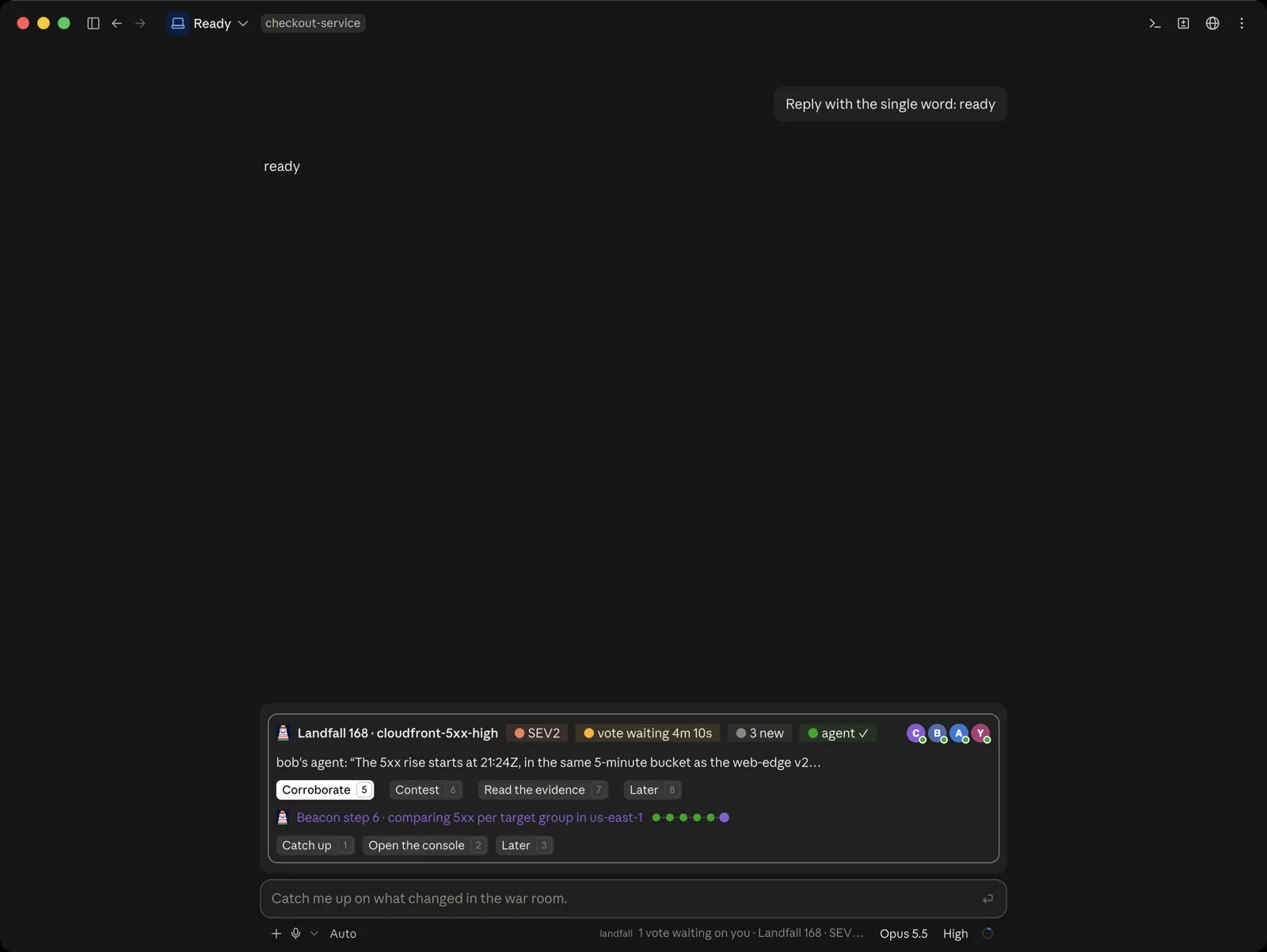
From signed out to a room
/landfall opens the console in a dock beside your conversation. Where it lands depends on where you are. In a folder that is already in a room, it opens on Home. Anywhere else it opens on Incidents. With no sign-in, it opens on a sign-in page first.
Sign in, in your browser
Choose Sign in with your browser. The console runs landfall login for you, so your browser opens Landfall's own sign-in page and the mod never handles a password. The console waits with the link and a clock, and you can cancel. When the browser finishes, a toast says you are signed in and the same pane becomes the incident picker.
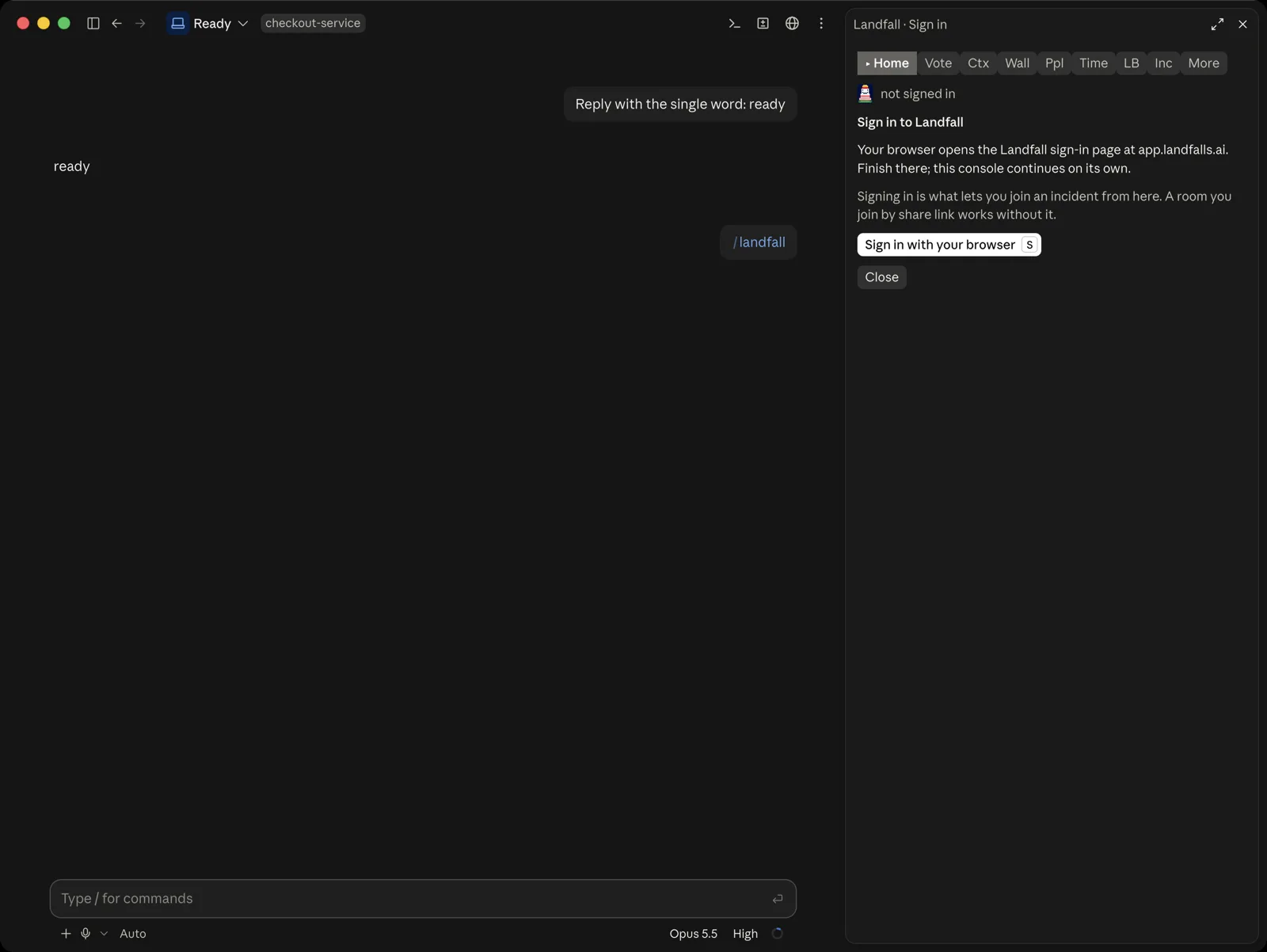
Signed out, the console offers one thing. A room you join by share link works without signing in. Pick an incident
The picker lists your organization's open incidents, the rooms you are in first, each with its severity, status and who is here. Join enters the room, Brief only reads its shared context without joining, and Open in browser opens the war room on the web.
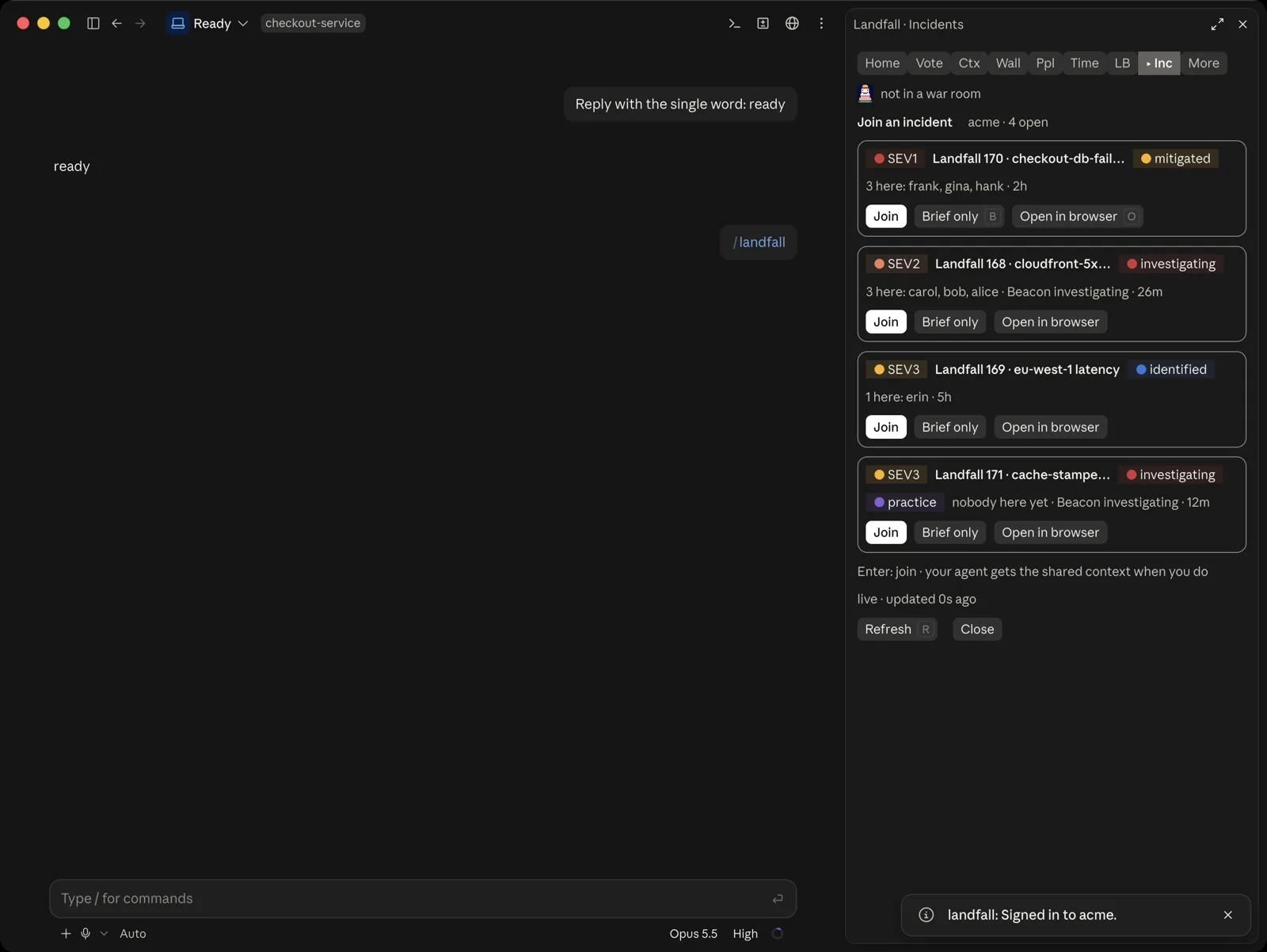
The incident picker, which is the Incidents tab. The toast is the sign-in finishing. While a join runs, the Join button reads Joining. Join, and your conversation gets the shared context
When you join, the mod adds the room's shared context to your conversation as one note: what is established, what is still open, who is here, the scope and focus, and your organization's instructions. A toast says what it added, and the console switches to Home. Nothing starts a turn, so your agent does not answer the note. It reads it with your next message, and its Landfall session joins the same room on its next tool call.
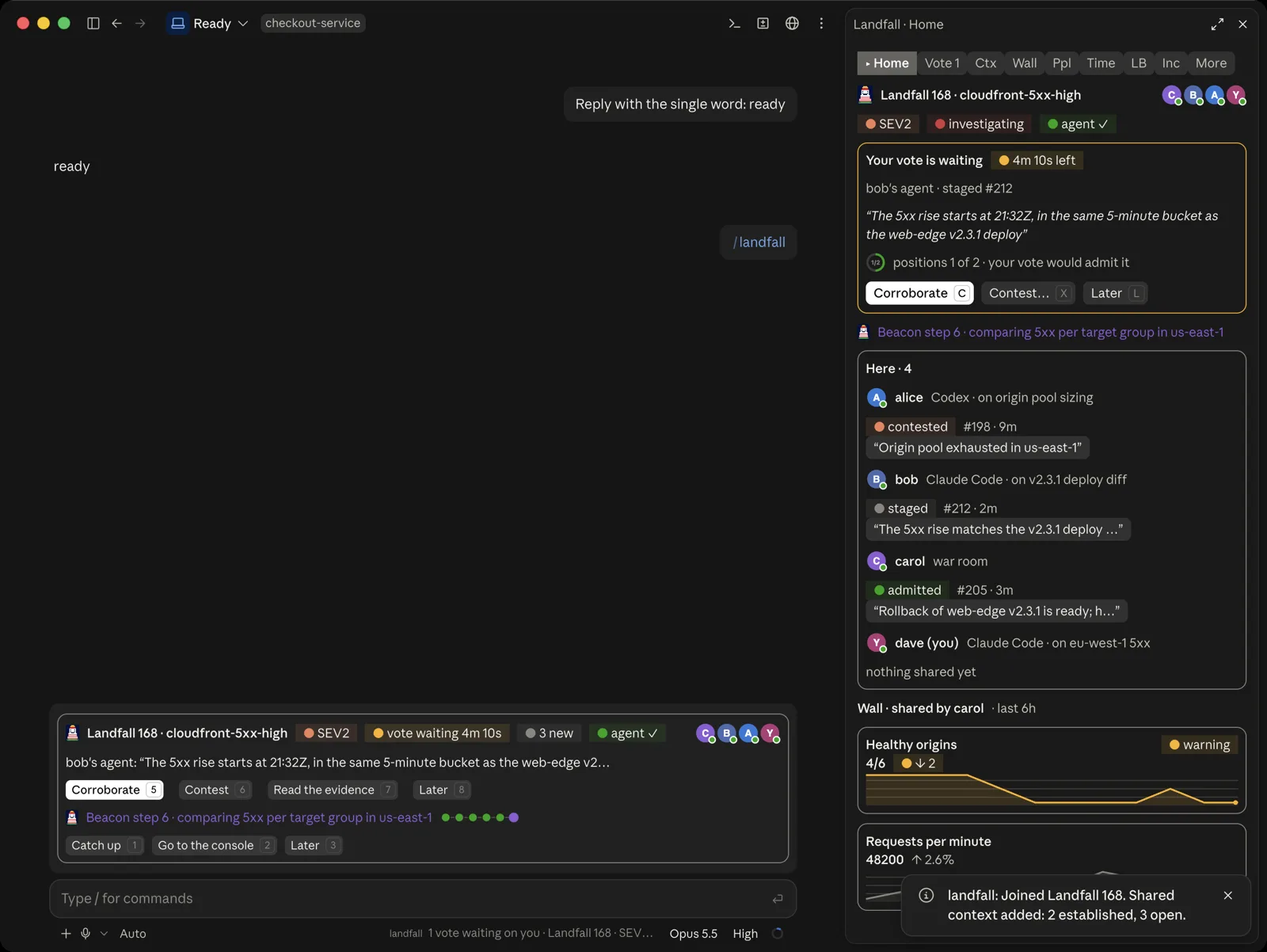
Home, right after joining. The toast says what was added to your conversation: 2 established items and 3 open ones.
The tabs
The tab bar is pinned at the top of the pane and every tab stays live while the console is open. The Vote tab shows a count when a vote waits on you. Closing the console stops every read.
Vote tab
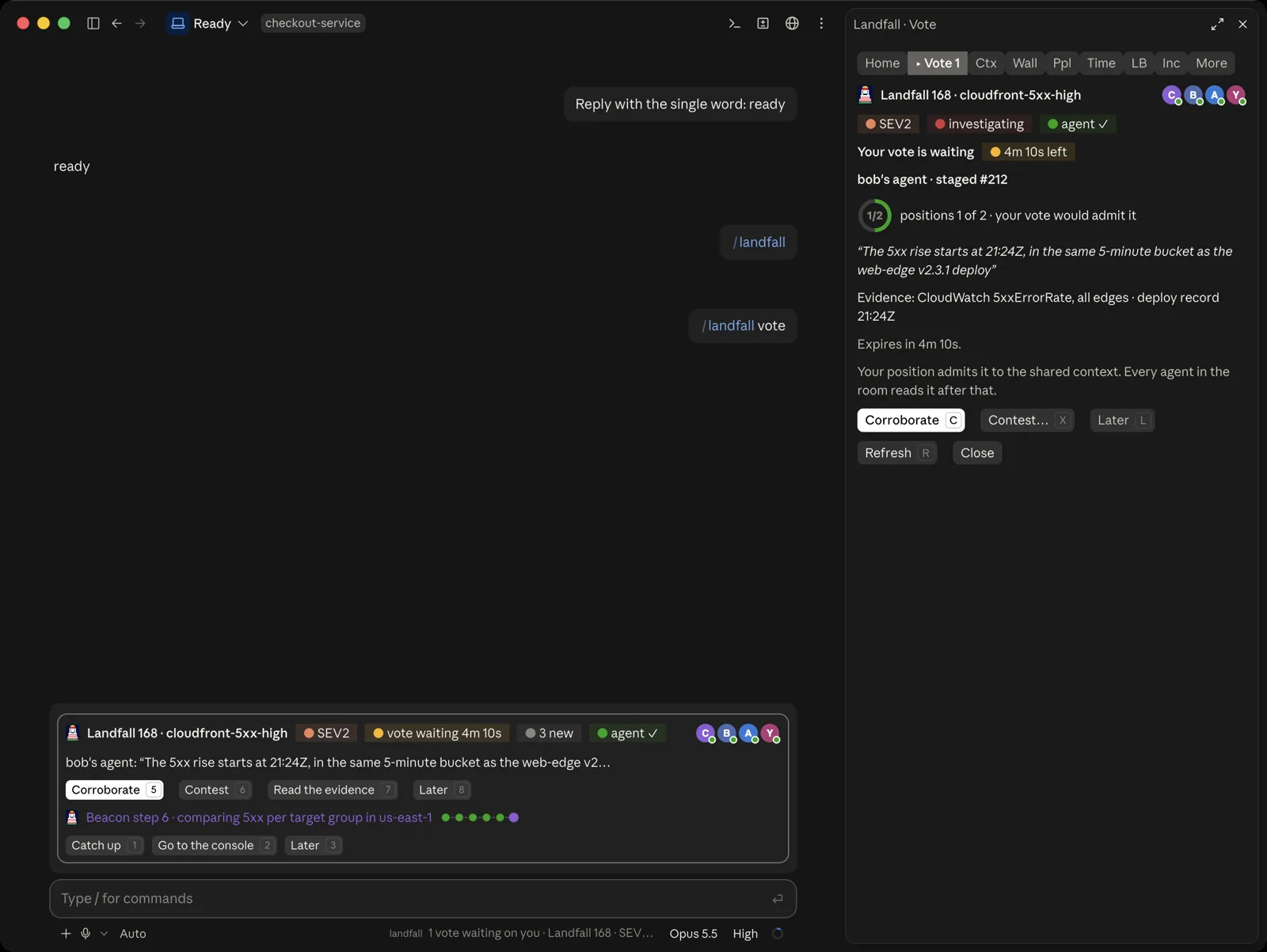
When a teammate's agent stages a finding that needs your position, it appears here and in the band. Corroborate agrees, Contest asks for a reason, and Later leaves it for now. Your vote is recorded as you, never as your agent, and you are never asked to vote on your own finding.
Context tab
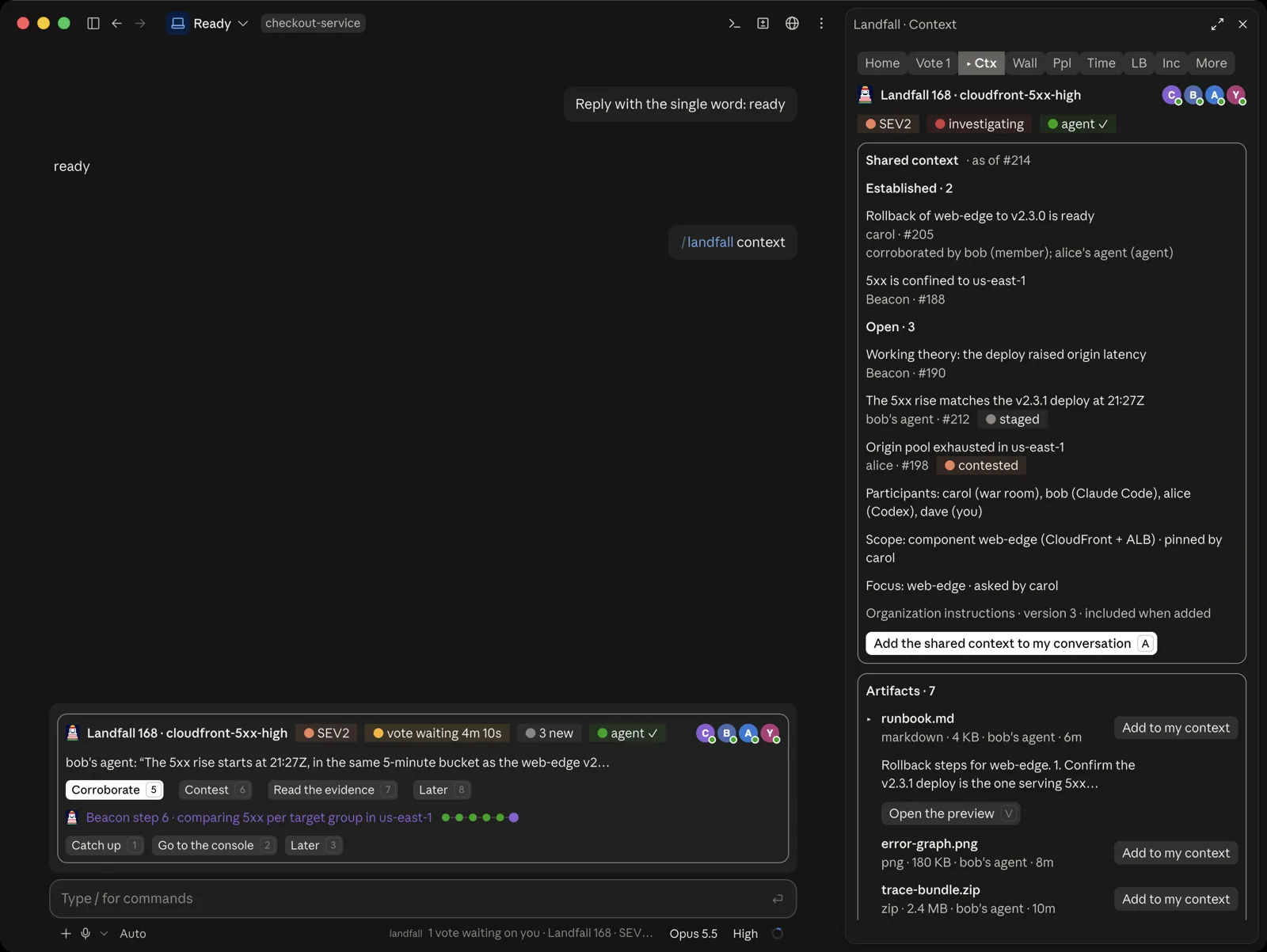
The room's shared context, and the files people and agents shared. Choose Add the shared context to my conversation to refresh your agent after the room has moved on. Each file has an Add to my context button, which puts the file into your own conversation: a text file goes in whole up to 20,000 characters, other files go in as a description and a link, and a file over 5 MB is refused with a toast. Neither adds a turn.
Wall tab
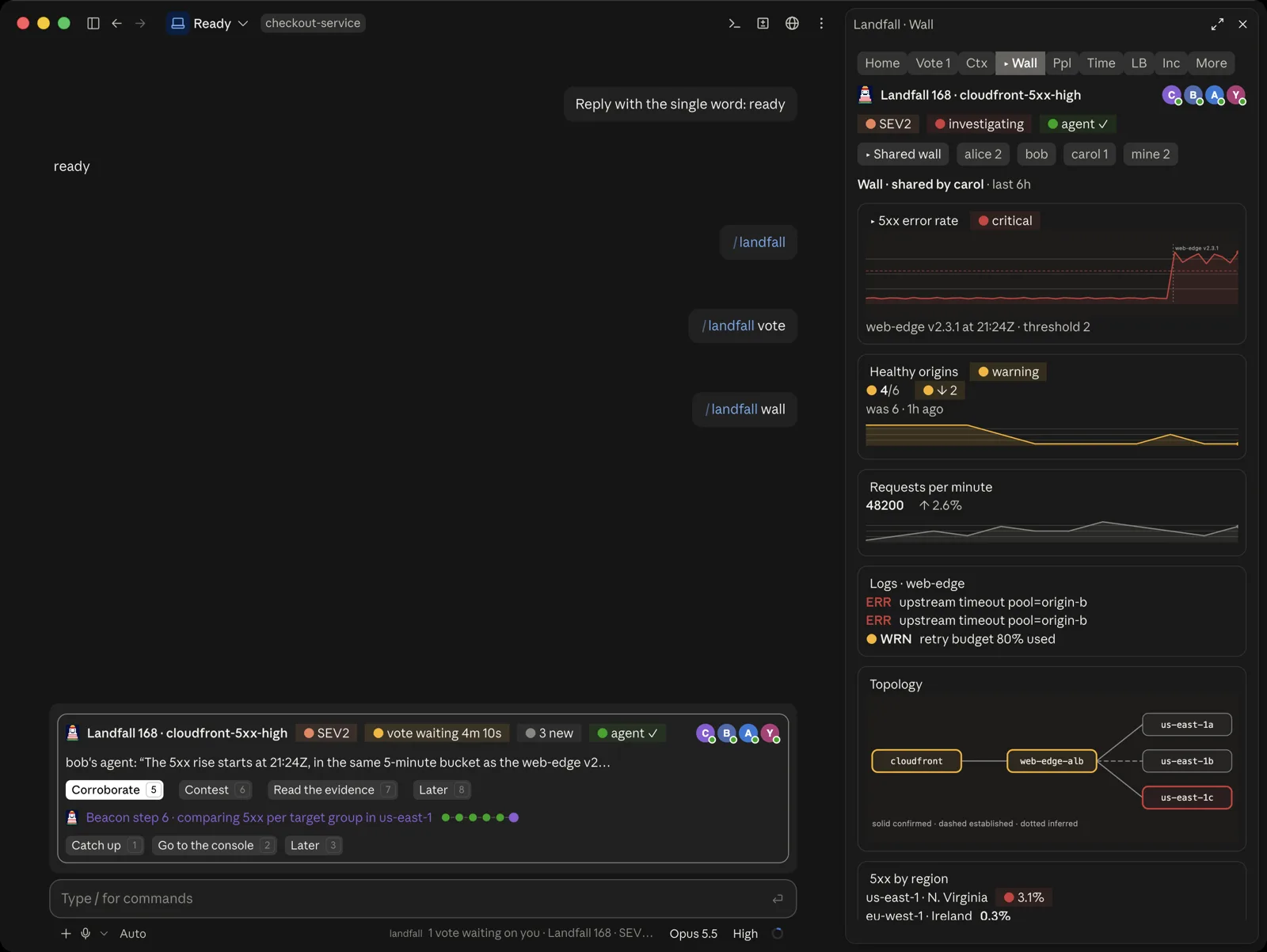
The canvas as the incident commander shared it, plus a picker for each person's own dashboard and one for yours. Query-backed widgets are read again with your own sign-in, so you see what you are entitled to see, as in the war room.
People tab
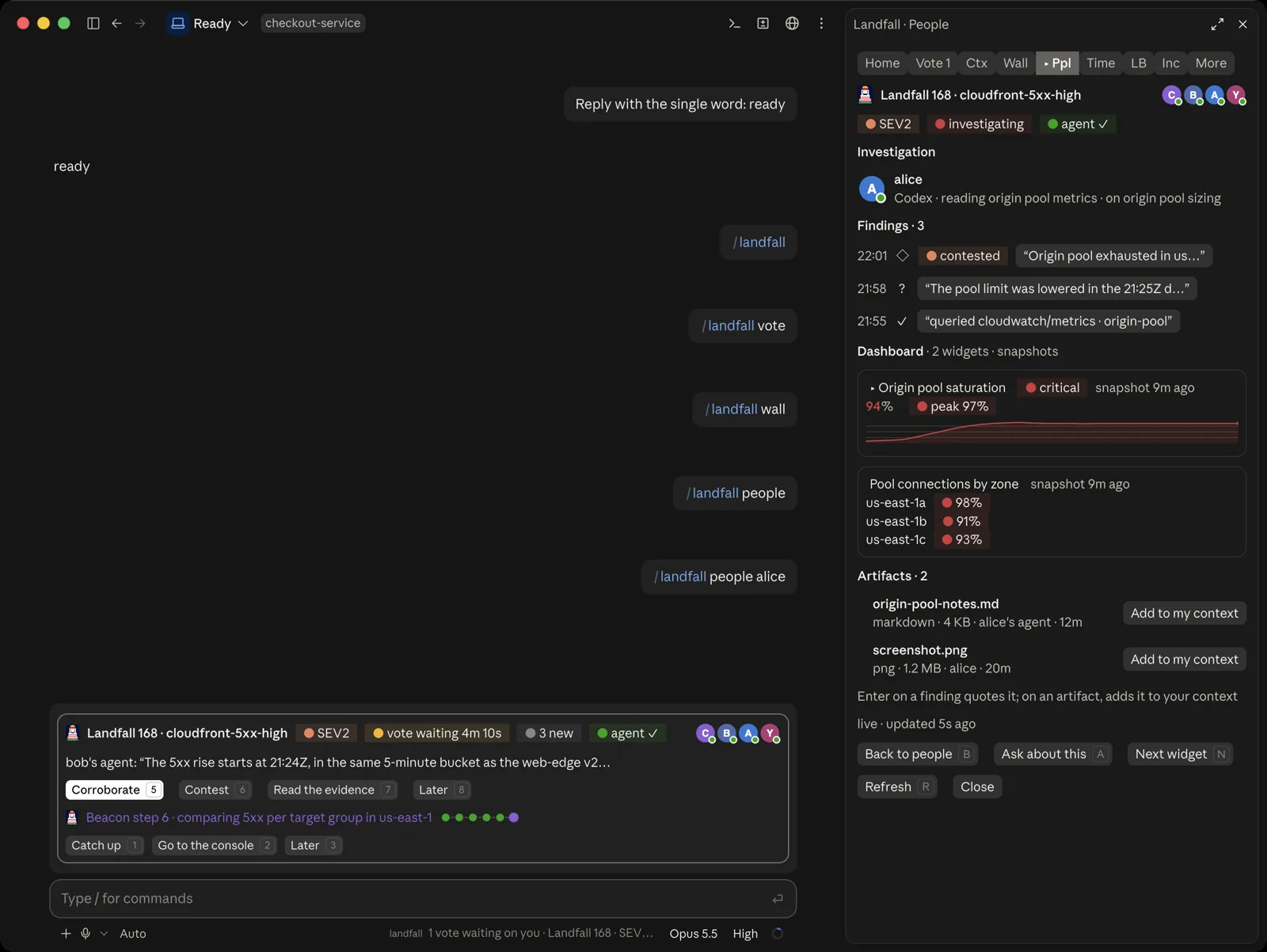
Who is here, where each person works (the war room or their harness), the line of investigation each one holds and their latest contribution. Open a person to read their investigation: their findings, their dashboard and their files. You can claim a line here so two people do not chase the same lead.
Timeline tab
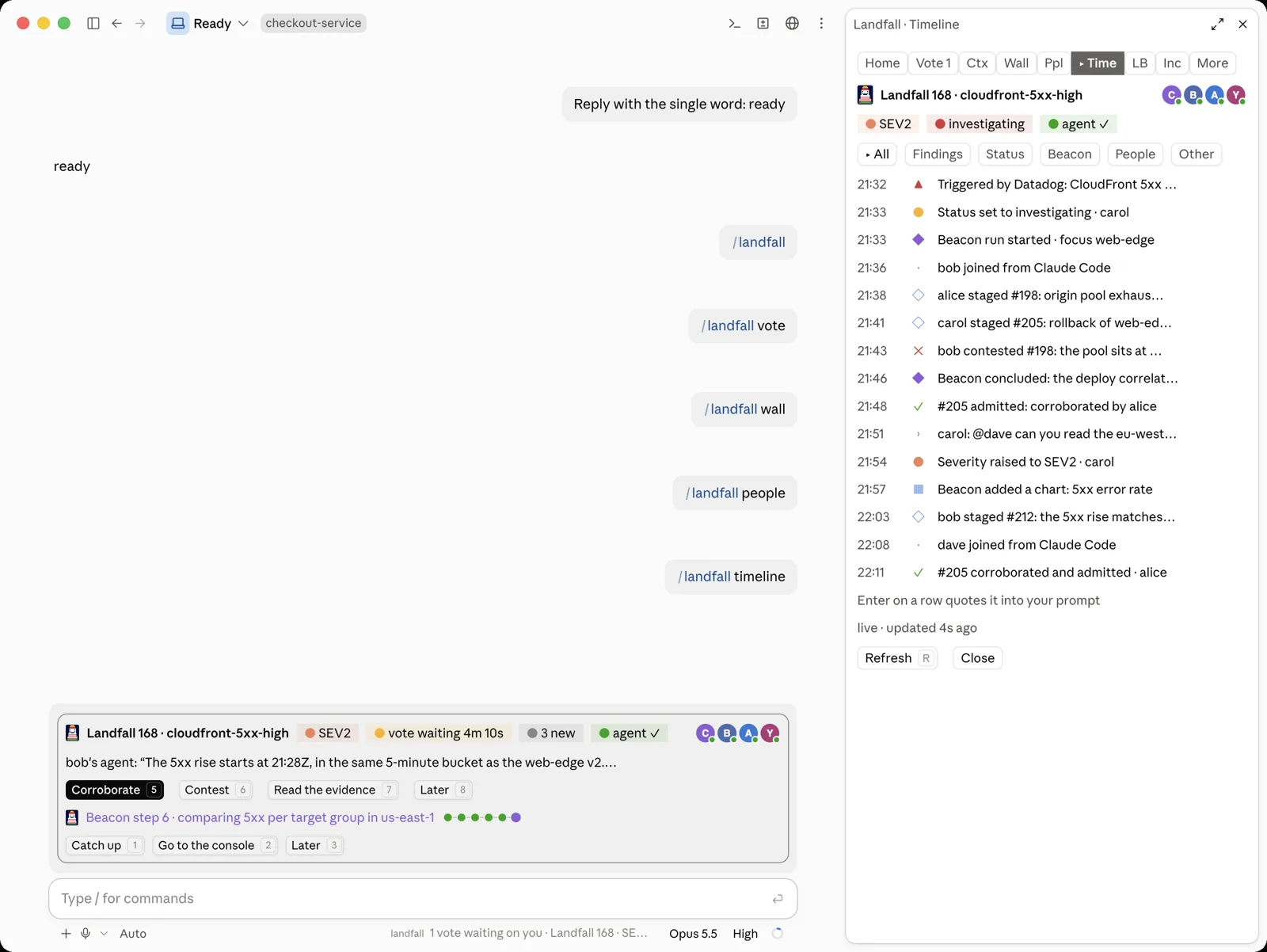
The room, oldest first, with chips to filter by kind: findings, status, Beacon, people and other. Choose a row to quote it into your prompt.
Load balancers tab
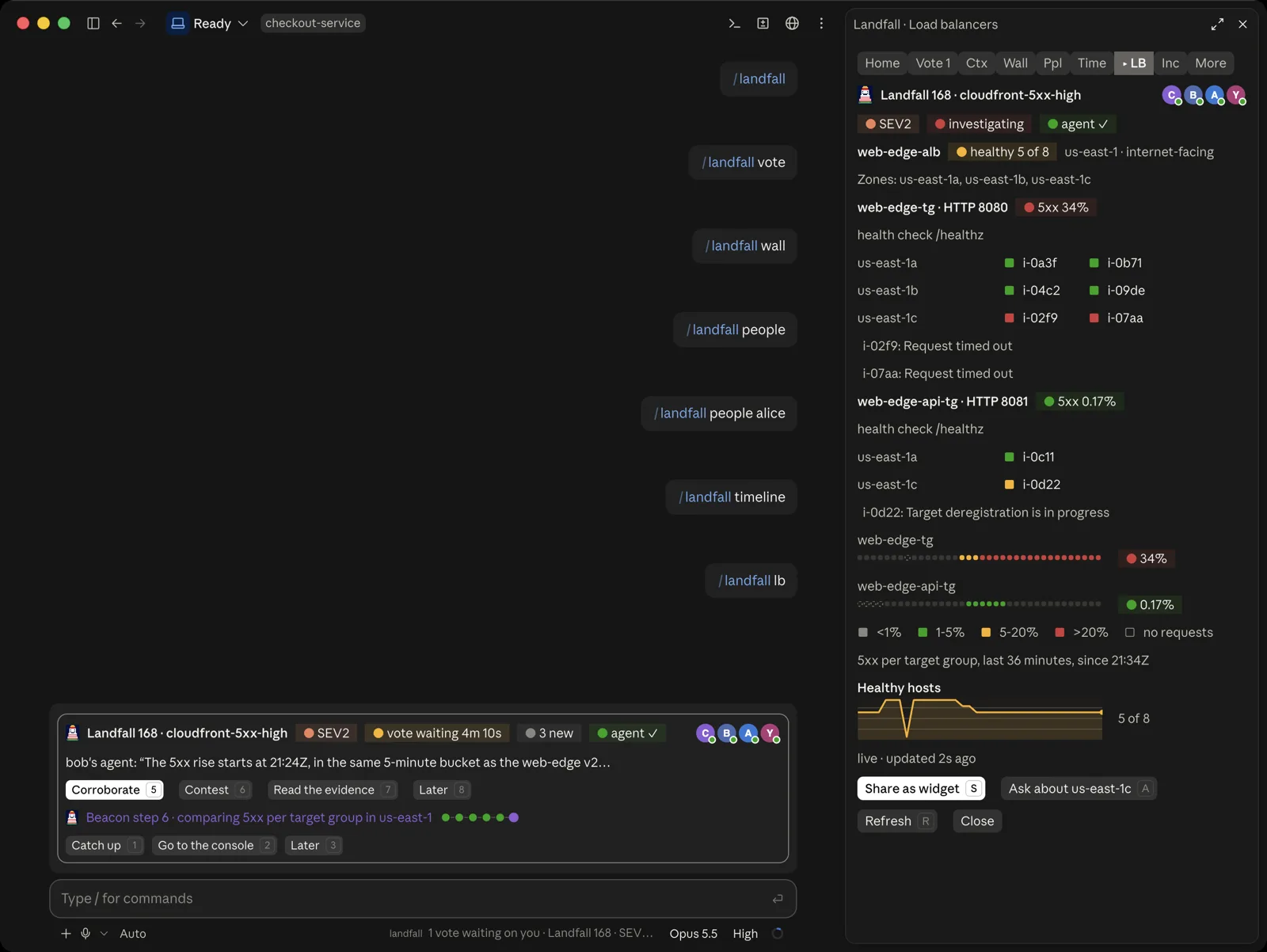
Targets by zone with their health, and a minute-by-minute 5xx strip per target group, read through the room's AWS connection. Share as widget puts the read on the room's dashboard as a chart.
The rest of the room is one tab away. Incidents is the picker above, which you can return to at any time. More holds the stakeholder updates, read only (approving stays in the war room), and the Company second brain.
What differs from the terminal
- Buttons instead of keys. Each action is a real button, and it carries the letter the terminal uses for the same action.
- Shorter tab names. To fit the dock, the tabs read Home, Vote, Ctx, Wall, Ppl, Time, LB, Inc and More. The title of the pane always says the full name, such as Landfall · People.
- People are drawn as avatars, and charts as real graphics rather than text.
- It follows the app's theme, light or dark.
What does not differ is the promise. A button only drafts a prompt for you, adds something to your own conversation, or runs a landfall command. It never starts a turn, and it never changes the incident's status, severity or focus, which stay in the war room. The full list of tabs, keys and slash commands is on Using Claude Code.
Part 2: Chat
Chat in the desktop app has no mods, so nothing runs on your machine. Landfall comes through the hosted connector, a read-only remote MCP server for your organization.
Add the connector
Copy your organization's connector address
It is shown, with a Copy button, under Your settings, then Connected assistants.
Add it in Claude
Settings, Connectors, Add custom connector, then paste the address and sign in to approve it.
The full steps, including the address that works for any organization and a connection pinned to one incident, are on The manager connector.
What it draws
Ask in plain language, such as “what incidents are open?”, and three answers arrive as Landfall cards inside the conversation instead of text. Each card draws from the answer it came with. Its buttons only ask the connector again or open Landfall in your browser.
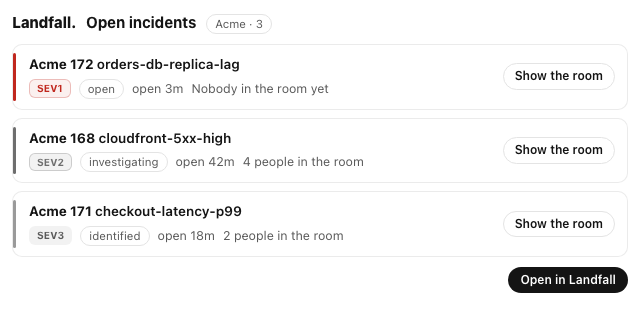
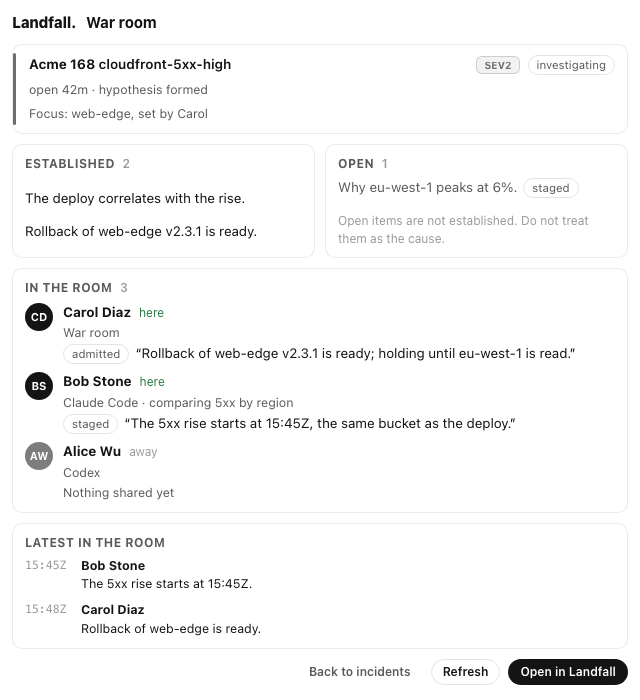
Show the room opens that incident's room card in place. It reads what is established and what is still open, who is in the room with each person's latest contribution and where it stands, and the last few things that happened.
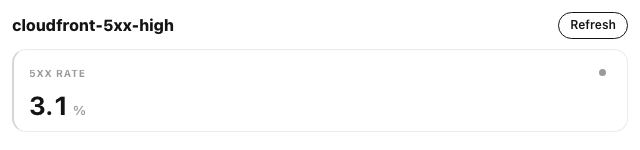
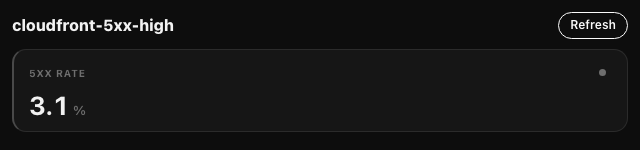
The third card is the canvas: the incident's widgets, drawn as the war room draws them, with a Refresh that reads them again for you. In this room the canvas holds one widget, so one card appears. The cards follow the app's theme, and the same canvas in dark mode follows the light one.
What Chat cannot do
- It is read only. You cannot vote, claim a line or add to a conversation from a card. Voting needs a signed-in person acting as themselves, which is what the Code tab, the terminal and the war room give you.
- A card carries no identifiers. Incidents are named by their display id, such as Acme 168.
- A host that does not draw MCP Apps still works. It ignores the cards and shows the answer as text, which always carries the full answer.
Troubleshooting
| You see | Why, and what to do |
|---|---|
| /landfall isn't a command, or does nothing | The mod is missing or older than 0.5.0, the first version with the console (older ones answer /room instead), or Claude Code is older than 2.1.287. Update both halves, then start a new session: brew upgrade landfall, then claude plugin marketplace update landfall and claude plugin update landfall@landfall. Not installed at all? Run landfall hooks install. claude plugin list shows which version you have. In the desktop app, also check that Landfall is turned on under +, Add plugins, and see the known issue above. In a brand-new session, send any message first: the command is known once the session has started. |
| The console says to sign in, or says your sign-in expired | Choose Sign in with your browser, or run landfall login in a terminal. Then run/landfall again. |
| The console opens on Incidents, not Home | This folder is not in a room yet. Join one from the picker, or paste a share link into your conversation. |
| Two Landfall entries in the status area | Two copies of the mod loaded: the installed one and a checkout started with --plugin-dir. Stop starting the checkout, or uninstall the installed copy. A person with one mod sees one entry. |
| A tab says stale and how old it is | A read failed. The tab keeps what it showed and says why. Choose Refresh, or wait for the next read. |
| The header says Reconnecting to the room | The connection to the room is down. The console and the band return to normal when it reconnects. |
| Chat shows text, not cards | This version of the app does not draw MCP Apps for the connector yet. The text is the complete answer. |