
How a war room works
An alert fires and the incident scatters: a Slack channel, a Teams thread, a Zoom bridge, a dozen DMs, and a private session in every responder's favorite harness (the coding agent you already use). A Landfall war room is the one record those channels feed. It does not stand in for them. Approved updates go out to Slack and Teams. No Slack message enters the room today, and there is no Zoom or Meet integration.
New here? Start with the quickstart. This page explains what you are looking at once the room is open.
How it works
A war room opens for one incident, by a person or by a trigger. The responders, the coding agent each of them already uses, and Beacon all work in the same room. With the admission gate on, as it is by default, a finding or hypothesis a responder's harness shares is staged first and joins the shared context once the room admits it. Everything on screen is drawn from one timeline. When the incident is resolved, the Company second brain learns from what the room admitted.
The room and its timeline
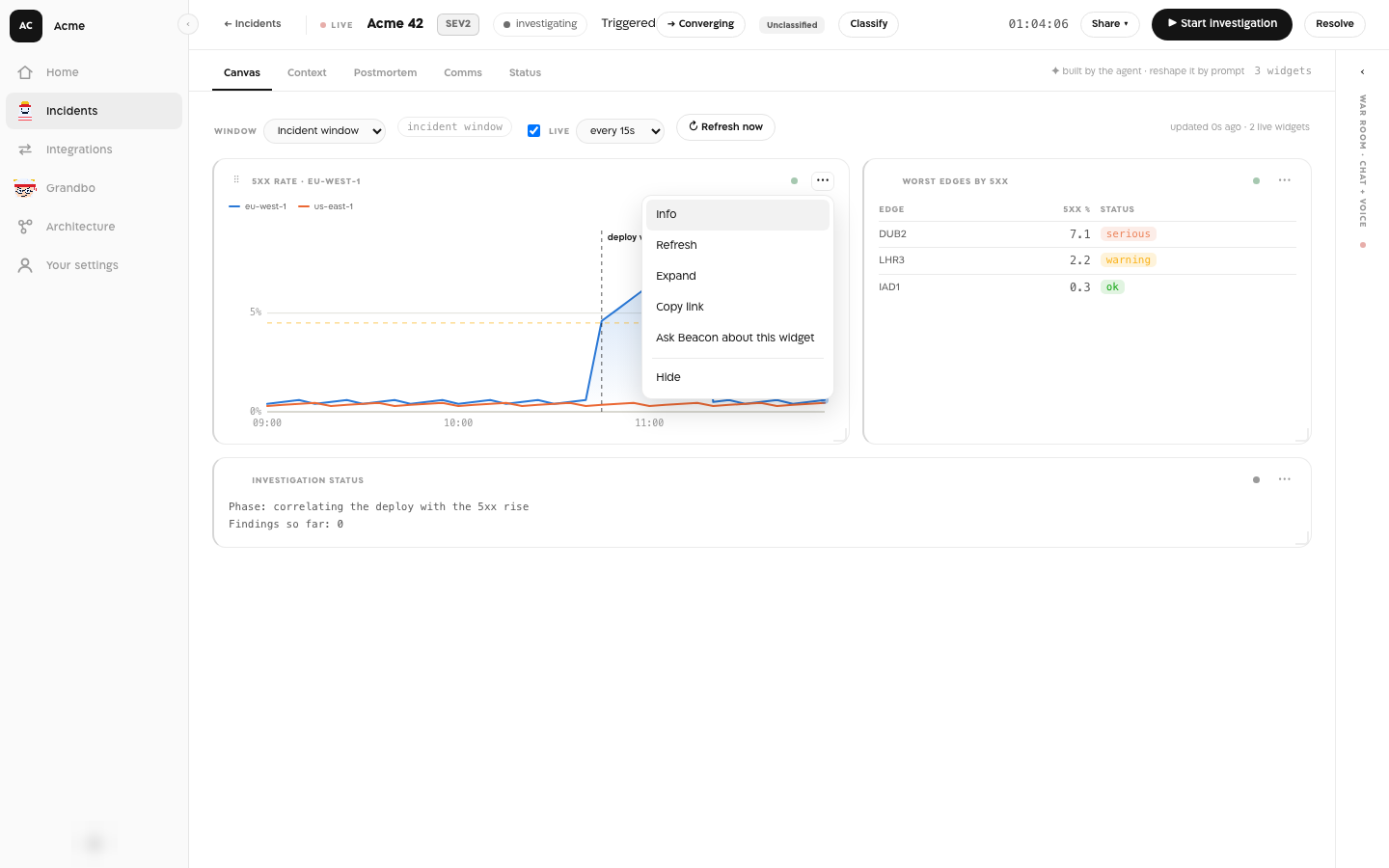
A war room opens when an incident is declared, by a person or by a trigger (an alert, a webhook, a critical event), and stays open until the all-clear. It is event-sourced. The timeline is the source of truth: every message, finding, decision and widget is an attributed event, appended in order and never edited in place. Everything on screen (the canvas, the Context tab, the postmortem) is a projection over that timeline. That is why the live view and the record never disagree, and why a room can be replayed later exactly as it happened.
Who is in the room
- People. The responders who join, by invitation or by a share link. They talk to each other in the room: mentions, replies, reactions, pasted artifacts. A joined human is the only thing that can approve an update or record an applied fix, and a human override on any admission always wins.
- Each responder's favorite harness. The coding agent you already use, connected over MCP by the landfall CLI or by Landfall Edge. In bridge mode a session sees twelve tools: it reads the brief, the timeline and the updates, queries the same signal catalog every other participant queries, and shares what it finds. A finding or hypothesis it shares is staged until the room admits it; a note is not. In bridge mode it casts no vote. See Using Landfall with Claude Code.
- Beacon, the room's AI agent. Beacon investigates in the conversation: it queries metrics and logs through the connected sources, puts widgets on the canvas, raises hypotheses with a stated confidence, and reads the room between steps. What it posts goes to the room directly, without staging, and it casts no vote. It answers when mentioned or when a question goes unanswered for a grace window.
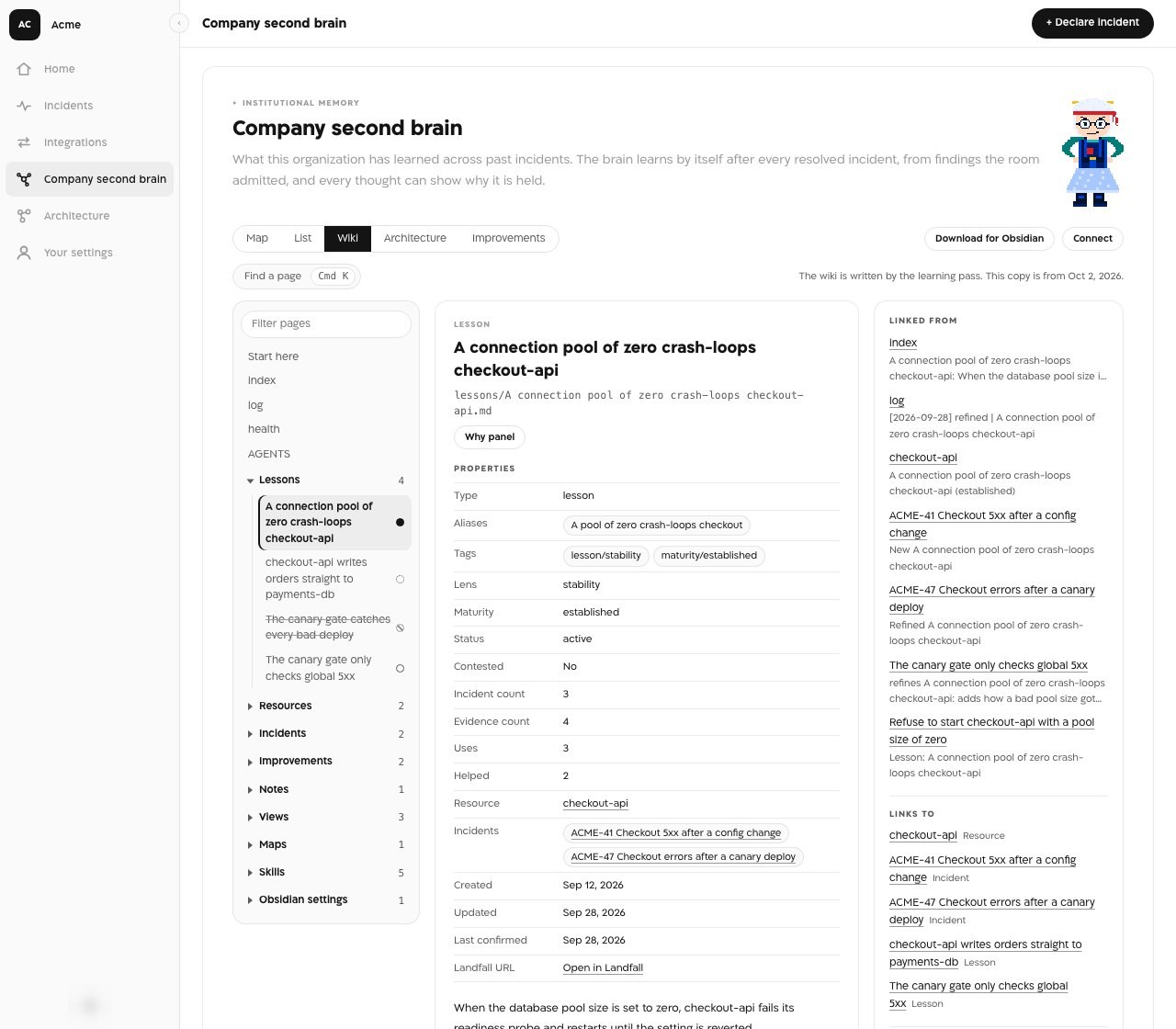
- The Company second brain. The organization's memory of past incidents. Beacon checks it before raising a hypothesis. When an incident is resolved, the brain learns by itself from the findings the room admitted, never from a demo room. Nobody has to accept what it learned. Every belief shows the findings and reasoning behind it, and an admin can correct or retire it afterwards. In the room it is labeled Org Memory. See Company second brain.
The admission gate
A finding or hypothesis a responder's harness shares through the landfall CLI is staged, and so is a finding a person proposes from the Context tab. A staged item is not yet part of the room's shared context, and other agents do not receive it. It is admitted once enough distinct voices back it, and the bar scales with how much damage a wrong finding could do. In an incident room a plain observation is admitted automatically once Landfall has re-checked it against the source, and it stays contestable.
The people in the room vote and flag. On a default install a harness casts no vote, and Beacon casts none; a stated confidence is shown but never counted. A cause, a correlation or a directive needs a person in the chain (the author or a voter), and a claim that contradicts admitted context needs an organization member. Posting a finding counts as its author's vote, but that vote never admits it alone, and neither does a vote from the author's own agent. A human override always wins, and context the room later finds wrong is hidden from every agent, not deleted.
An organization admin can admit a staged item directly, with a reason, and the reason stays on the record. An admin sets the gate's mode under Settings · Governance: Enforcing (the default; staged items wait until they are admitted), Report-only (nothing is held; the room shows what the gate would have held) or Off (every claim enters the shared context at once, labeled as gate off). Full detail: Shared context.
Suggest only
Landfall never approves or runs a change. Agents suggest a fix with blast radius and undo; a human applies it in their own tools and records it in the room. The one approval inside the product is the comms gate: a person approves a drafted stakeholder update before it is sent.
The five tabs
- Canvas. The dashboard the room builds as the investigation goes: charts, logs, timelines and maps as widgets that any responder can reshape in plain language.
- Context. The shared context as a ledger, oldest first: every item and whether it is admitted or still waiting, the waiting items that need your vote, and how many agents are up to date.
- Comms. A templated draft of a stakeholder update. A human approves it before it goes out.
- Status. Severity, status, how long the room has been open, update and finding counts, and who on call has joined. There is no ETA field yet.
- Postmortem. A deterministic fold of the timeline. The headline comes from admitted claims only; when nothing was admitted, it says so.
How managers and stakeholders use the last three: Keeping stakeholders current.
Who it is for
On-call engineers, NOC and SOC teams, plus the service owners, managers and stakeholders who get pulled into the incident. An outage or a breach, the room is the same.
Your AI SRE hands responders the first direction. Landfall is complementary to it: the room where the humans resolve what comes next.
Glossary
- War room. One per incident. The record from the first alert to the all-clear.
- Favorite harness, coding agent. The same thing. Your favorite harness is the coding agent you already use (Claude Code, Codex, Cursor and others). The docs say “coding agent” for the software and “favorite harness” for yours.
- AI agents. The room crew: Beacon plus every connected harness.
- Beacon. The room's AI agent.
- Company second brain. The organization's memory of past incidents. The room labels it Org Memory.
- Context tab. The room's view of the shared context: one row per item, oldest first, each showing whether it is admitted or still waiting.
- Staged, admitted. The two states of a shared finding. Staged is waiting for the room; admitted is in the shared context.
- Shared context. The admitted findings and decisions every participant, and every participant's agent, works from.