
Opening a war room from a PagerDuty incident
When a PagerDuty incident triggers, a Webhooks v3 subscription posts it to Landfall, which opens a war room or attaches to the one that PagerDuty incident already opened. This page is not about reading who is on call; see Connecting PagerDuty. The two are set up separately and share one PagerDuty connection in Landfall, which holds both the REST API token and the signing secret.
How it works
PagerDuty posts to https://api.landfalls.ai/triggers/pagerduty/<your-org-slug>. It cannot send a bearer token, so authentication is a signature: PagerDuty signs each delivery's body with the subscription's signing secret and sends it in X-PagerDuty-Signature. Landfall checks it against every signing secret saved on your organization's PagerDuty connections. Until one is saved, every delivery is refused, so saving the secret is what turns the endpoint on.
The slug in the URL is not a credential. It selects which organization's secrets the signature is checked against. An unknown slug and a valid slug with a bad signature get the identical refusal, so the endpoint cannot be used to discover which organizations exist. Landfall recognizes the body as a PagerDuty v3 envelope, acts on three event types and attaches every follow-up by the PagerDuty incident id.
What you'll need
- An admin on your Landfall organization.
- The PagerDuty connection in Landfall, or its REST API token: the form needs the token to save the secret. See Connecting PagerDuty.
- A PagerDuty account that can create webhook subscriptions.
- Your Landfall organization's slug. It is the slug= value in your Landfall address, for example slug=acme.
1. Create the webhook subscription
Integrations → Generic Webhooks (v3) → New Webhook
yourcompany.pagerduty.com · Integrations · Your Webhooks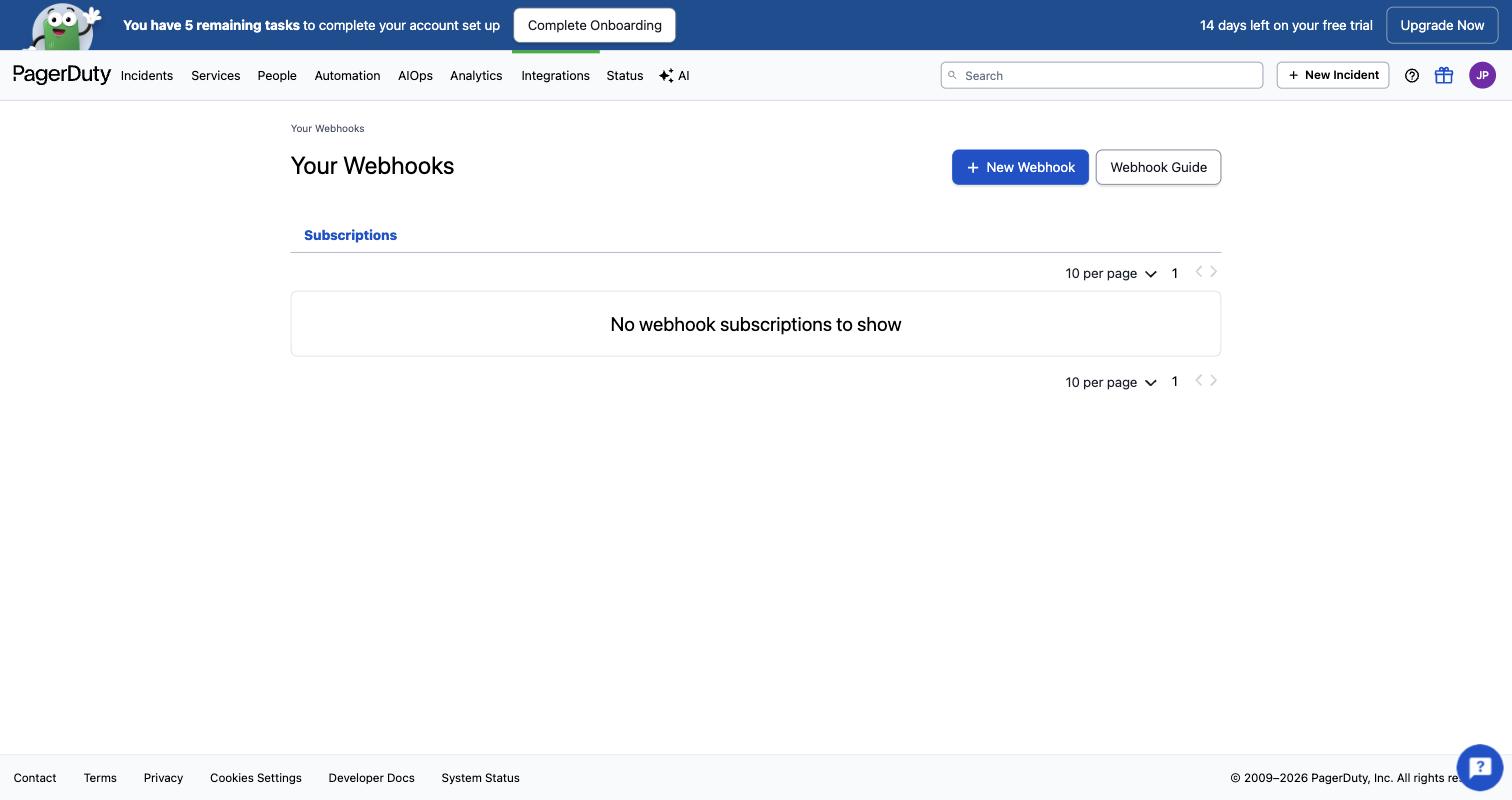
Your Webhooks with no subscriptions yet. Click New Webhook. The account avatar is blurred. Fill in the subscription
Webhook URL https://api.landfalls.ai/triggers/pagerduty/<your-org-slug> Scope type Account for every service, or Service to limit it to one. Event subscription incident.triggered · incident.escalated · incident.resolved Deselect everything else. Landfall acts on those three and answers 200 to the rest, so other events only add delivery volume.
yourcompany.pagerduty.com · Your Webhooks · New Webhook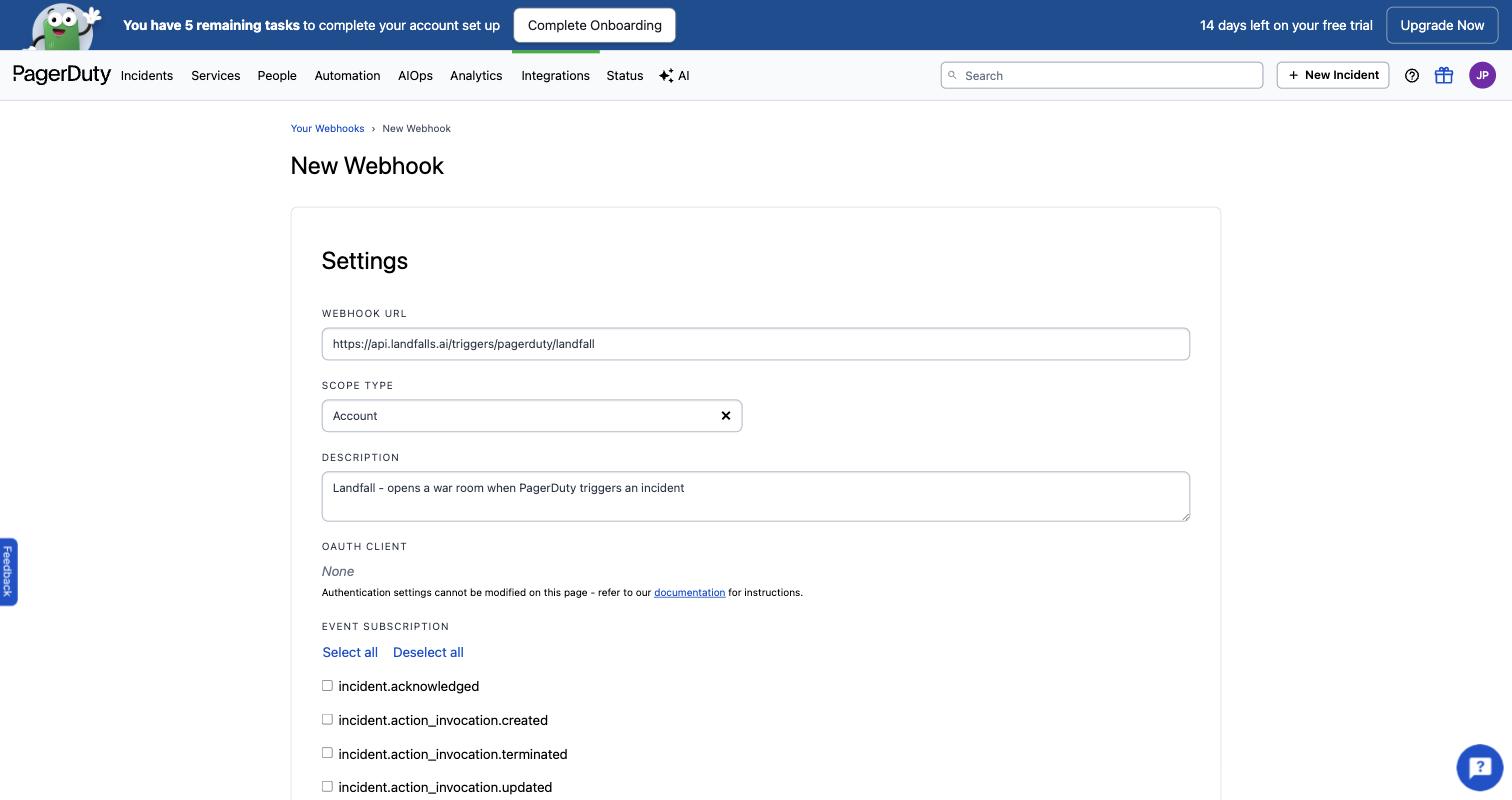
The New Webhook form with the Landfall URL, Account scope and a description. The end of the URL, which holds the organization slug, is blurred. The event list continues below this crop, where you tick the three events above. Save, then copy the signing secret
When you save, PagerDuty shows the subscription's signing secret once. Copy it for the next step. Secrets are issued per subscription; recreating the webhook issues a new one.
2. Paste the signing secret into Landfall
Integrations → Paging & on-call → PagerDuty
Open Integrations in the left menu and pick the PagerDuty tile. Paste the secret into Webhook v3 signing secret. The form also needs the REST API token, and each save replaces every field, so enter the token, the secret and any escalation fields you use together.
app.landfalls.ai · Integrations · PagerDuty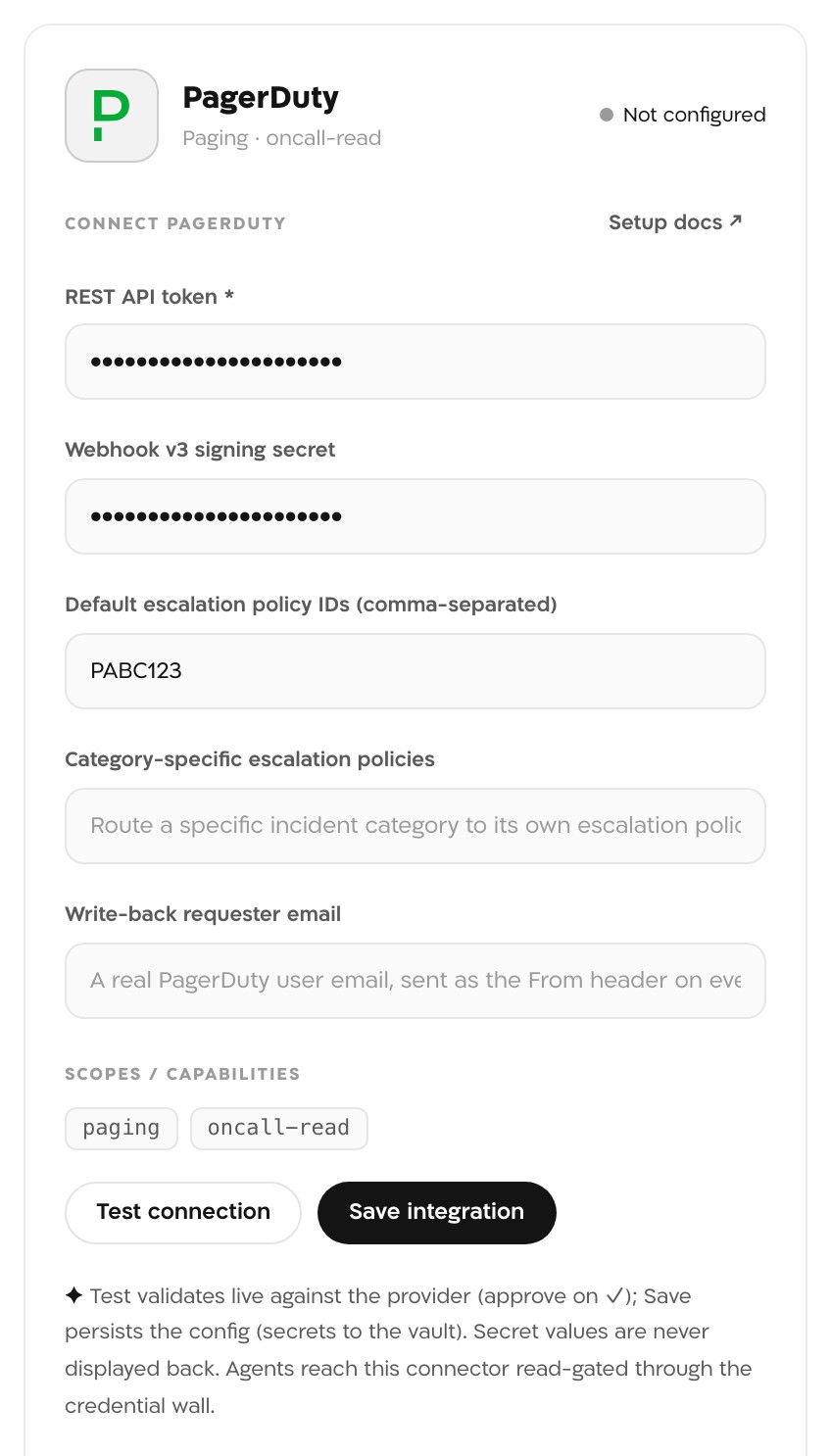
The PagerDuty panel before saving, with the REST API token and the Webhook v3 signing secret filled in. The secrets in this picture are masked. Save integration
The tile reads Configured, and deliveries signed with that secret are accepted from then on.
What each event does
| PagerDuty event | In Landfall |
|---|---|
| incident.triggered | Opens a war room. If that PagerDuty incident already opened one, returns that room and opens no second one. |
| incident.escalated | Appends pagerduty.escalated to the linked room's timeline. |
| incident.resolved | Appends pagerduty.resolved. It does not close the war room. |
| Any other event type | Answered 200 and ignored. |
What PagerDuty's fields become
| PagerDuty field | Becomes |
|---|---|
| data.title | The incident title. Without one, PagerDuty incident <id>. |
| data.priority.summary | Severity: P1 → sev1, P2 → sev2, P3 → sev3, P4 and P5 → sev4. |
| data.urgency | Severity when there is no priority: high → sev2, low → sev4. With neither, sev3. |
| data.service.summary | The affected service, or data.service.id when the summary is missing. |
| data.escalation_policy.summary | Added to the incident's summary line. |
| data.links | A link whose text mentions "runbook" becomes a runbook Beacon reads when its run starts; any other link shows in the room header. Only http and https links, up to 10. |
3. Test it
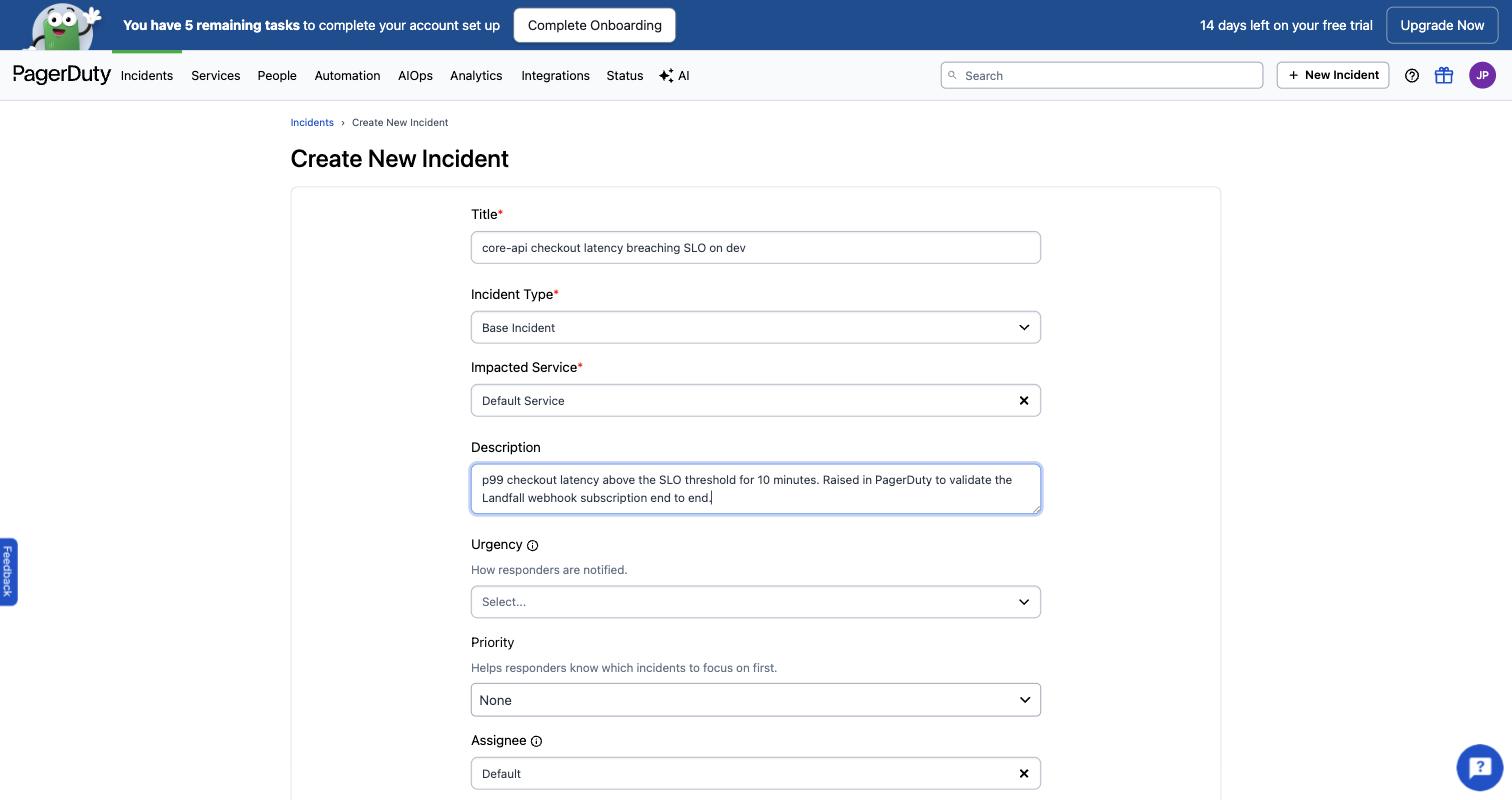
In PagerDuty, click New Incident and raise one on a service the subscription covers. A Landfall war room opens within seconds, titled with the PagerDuty incident's title, and it appears in your Incidents list with a PagerDuty source badge.
Repeats and recovery
- Attach identity: the PagerDuty incident id. Another incident.triggered for the same PagerDuty incident returns the room it already opened and appends nothing.
- Retries: PagerDuty retries a failed delivery with the same event id. Landfall recognizes a repeated event id for 24 hours and records it once.
- Escalation: recorded on the room as pagerduty.escalated. An escalation or resolution for a PagerDuty incident that never opened a room (for example one that started before the subscription existed) opens nothing and is recorded in the audit log.
- Maintenance windows: a delivery that matches an active maintenance window opens no room.
- Recovery: incident.resolved is recorded as pagerduty.resolved and the room stays open.
Landfall records PagerDuty's resolution on the timeline as a fact and leaves the room open. A person closes it, after the investigation and postmortem are done. If closing the page also closed the room, the record would end when the alarm stopped.
Troubleshooting
| What you see | What it means |
|---|---|
| PagerDuty shows deliveries failing with 401 | No signing secret is saved, the saved one does not match this subscription's, or the slug in the URL is wrong. All three get the same answer on purpose. |
| 401 right after you saved the PagerDuty panel again | Save replaces every field. If the signing secret was left empty, it was removed. Paste it again and save. |
| 400 | The body was not a PagerDuty Webhooks v3 envelope. |
| 429 | More than 120 deliveries a minute came from one address. |
| PagerDuty disabled the subscription | PagerDuty retries failed deliveries with backoff and disables a subscription that keeps failing. Fix the cause above, then turn the subscription back on in PagerDuty. |
| An escalation never shows on the room | That PagerDuty incident did not open the room, so there is nothing to attach to. Check the audit log for pagerduty.event.ignored. |
Reference
| Field | Value |
|---|---|
| Endpoint | POST https://api.landfalls.ai/triggers/pagerduty/<your-org-slug> |
| Auth | HMAC-SHA256 of the raw body with the subscription's signing secret, in X-PagerDuty-Signature as v1=<hex>. Checked against every secret saved on the organization's PagerDuty connections. |
| Issue or rotate | PagerDuty issues the secret when you create the subscription. After you rotate it in PagerDuty, paste the new value into Landfall; PagerDuty signs with both secrets during a rotation, so deliveries keep verifying while you switch. |
| Recognized by | A v3 envelope: event.id, event.event_type and event.data.id. |
| Attach identity | The PagerDuty incident id (event.data.id). Repeats of one delivery are recognized by event.id for 24 hours. |
| Each delivery | 201 when a room opens; 200 for an attach, a follow-up, a repeat or an ignored event. |
| Rejected payloads | 401, identical for a missing or wrong signature, an unknown slug or no saved secret; 400 for a body that is not a v3 envelope; a body over 512 KB is refused; 429 above 120 a minute from one address. |
| Incident badge | PagerDuty |
See Integrations architecture for how every trigger source shares one pipeline.