
Deploy Landfall Edge to a fleet
Landfall Edge is a small macOS companion app that keeps each responder's investigation context flowing into the shared war room while they keep working in their own AI harness. This page is for whoever owns the laptops: how to push it through the deployment tooling you already run, with no per-machine setup, and how to take it off again just as cleanly.
What you'll need
- Macs on macOS 13 or later. Landfall Edge v1 is macOS only.
- An MDM that is user-approved or supervised. Both profiles below are MDM-only payloads that no installer script can deliver, so an unsupervised enrolment gets the app but not the guarantees.
- Three files, all served from edge-dl.landfalls.ai, in formats your tooling already understands. Landfall ships no fleet-deployment machinery of its own.
| File | What it is |
|---|---|
| LandfallEdge-<version>.pkg | The distribution package. Installs /Applications/Landfall Edge.app and a system-wide LaunchAgent. It ships signed, notarized and stapled once Landfall's Apple signing is in place, which is what the note above waits on. |
| managed-login-items.mobileconfig | Approves the background agent and removes the user's ability to switch it off. Without this the app installs and can be silently disabled. |
| pppc.mobileconfig | Grants the one privacy permission Edge needs, so a managed install needs no approval click on any machine. |
1. Add the package to your MDM
Use whichever tool your fleet already runs. All four consume the same package; none of them needs anything Landfall-specific.
Jamf Pro
Upload the .pkg and scope a policy, or push it as an InstallEnterpriseApplication command pointing at the manifest URL.
Kandji
A Custom App library item with install type Installer Package.
Microsoft Intune
A macOS app (PKG).
Munki
Import with munkiimport, or use the published AutoPkg recipe.
On a machine you can reach directly
The same package installs with the standard tool and no interactive input:
sudo installer -pkg LandfallEdge-0.1.0.pkg -target /
The package also puts two commands at fixed paths: /usr/local/bin/landfall-edge and the uninstaller, /usr/local/bin/landfall-edge-uninstall.
2. Push the two configuration profiles
Push both .mobileconfig files as configuration profiles. Order does not matter, but a machine that has the package and not the profiles is a machine where a user can quietly turn the agent off, so scope them to the same group in the same change.
Why the login-items profile is not optional
The package installs a system-wide LaunchAgent, which starts Landfall Edge in every user session at login. On macOS 13 and later that agent also appears to the user as a Login Item, announced by a “Background Items Added” notification, and it can be switched off from System Settings.
For a tool whose entire value is being already running when an incident starts, that is a real gap: one dismissed notification and one toggle, on the laptop of the responder who most needs it, with nothing anywhere reporting it. The managed-login-items.mobileconfig profile approves the agent by Team Identifier and removes the toggle. Deploy it.
What the privacy profile actually grants
One service: App Data access, so Landfall Edge can read and write AI coding-assistant configuration that lives inside other applications' data directories.
Deliberately not requested:
- Full Disk Access. It would cover the above and a great deal more. Landfall does not need unrestricted read of a responder's laptop and does not ask for it.
- Apple Events. Edge runs agent adapters as its own child processes; it does not script other applications.
- Screen Recording. Not used, and worth stating plainly: macOS does not let a profile grant Screen Recording, only deny it, so any tool that needs it cannot be deployed without a click on each machine.
3. Verify a machine
sudo profiles list
Both profiles should be listed, with the identifiers ai.landfalls.edge.loginitems.profile and ai.landfalls.edge.pppc.profile.
launchctl print gui/$(id -u)/ai.landfalls.edge
Run it as the signed-in user. It shows the LaunchAgent ai.landfalls.edge loaded in that user's session, from /Library/LaunchAgents/ai.landfalls.edge.plist.
Landfall Edge also contains an end-to-end self-check that drives a synthetic incident through capture, the local store and the outbound queue. No screen or command runs it yet, so this page cannot show its result. A check that could not run is never reported as a check that passed, and a machine with such a check reads as partly verified.
Updates
On managed machines, you control the version: re-push the newer package the same way you pushed the first one. Landfall publishes a static version manifest, a Jamf external patch source feed and an AutoPkg recipe so your existing tooling can decide when that happens.
Landfall Edge also has a built-in updater for unmanaged, personally-owned Macs. To keep it off on your fleet, set UpdatesDisabled to true in the ai.landfalls.edge preference domain with a configuration profile. The updater then stays off even on a signed build, so a machine you manage does not update itself underneath you.
Attach through Buzz Desktop
Edge can front the agent a team member runs in Buzz Desktop, so that agent gets room context every turn, capture into the timeline and the local guardrail. Buzz runs it as landfall-edge acp, the command the package installs at /usr/local/bin/landfall-edge. The user picks Buzz Desktop on Edge's Attach page, and Edge prepares an import file, landfall.agent.json, that the user imports in Buzz once; nothing is written into Buzz's own files. The walkthrough is on the Buzz integration page.
For your endpoint-security team
Landfall Edge is a notarized Electron application with a hardened runtime. It runs a background process that opens outbound HTTPS connections to your Landfall control plane and a local Unix socket. For investigators who opt into the highest-fidelity attach mode, it also spawns AI-harness adapter binaries as child processes.
That shape (JIT-enabled, spawns subprocesses, opens sockets) is one endpoint-detection products reasonably flag. It can be allowlisted deterministically rather than by hash: the Team Identifier and the bundle identifier ai.landfalls.edge are stable across releases, and the process tree below is the whole of it.
launchd
└── Landfall Edge (--daemon)          ELECTRON_RUN_AS_NODE=1, headless
    │                                 outbound HTTPS to your control plane
    │                                 listens on a per-user Unix socket
    ├── Landfall Edge                 the panel (GUI), started on demand
    └── <agent adapter>               Full attach mode ONLY, one per
attached session, stdio only- Entitlements: cs.allow-jit, cs.allow-unsigned-executable-memory, cs.disable-library-validation, network.client. Notably absent: get-task-allow, and no disable-executable-page-protection.
- Network: outbound HTTPS and a WebSocket to your own Landfall control plane, plus edge-dl.landfalls.ai for updates on unmanaged machines. It listens on no TCP port.
- Child processes: none at all in the Default and Minimum attach modes. The Full mode spawns the agent adapter the investigator chose, and only while a session is attached.
- Files written: its own state directory, and marked entries in the AI harness configuration the investigator explicitly attached, each journaled before it is written and reversed exactly on uninstall.
Troubleshooting
- Users can switch Landfall Edge off in Login Items. The login-items profile is not on that machine. Scope managed-login-items.mobileconfig to the same group as the package.
- The app is installed but neither profile is. Both are MDM-only payloads, so a package push alone never brings them. Push them as configuration profiles through an enrolment that is user-approved or supervised.
- Your removal script flags machines that also run the landfall CLI. A left-in-place line is a success. Branch on the exit code, or on the exitCode field of --json.
- Machines update themselves ahead of your rollout. Set UpdatesDisabled in the ai.landfalls.edge domain, as under Updates.
Remove it
The uninstaller is left at a fixed path, so your removal automation can be written once:
sudo /usr/local/bin/landfall-edge-uninstall --json
# add --dry-run to see what it would do and change nothing
It reverses every change Landfall Edge wrote into a third-party tool's configuration, removes its own files using the package receipt as the bill of materials, and prints one line per target using four statuses:
| Status | Meaning |
|---|---|
| removed | Landfall Edge's change was reversed exactly. |
| left-in-place | A Landfall entry that somebody edited by hand, or one that belongs to the landfall CLI rather than to Edge. Never overwritten, never deleted. |
| not-installed | Nothing of Landfall's was there. |
| failed | Something could not be removed. This is the only status that exits non-zero. |
A left-in-place is a success, not a failure. If your removal script treats any non-empty output as an error, it will flag every machine that also runs the landfall CLI. Branch on the exit code, or on --json's exitCode field.
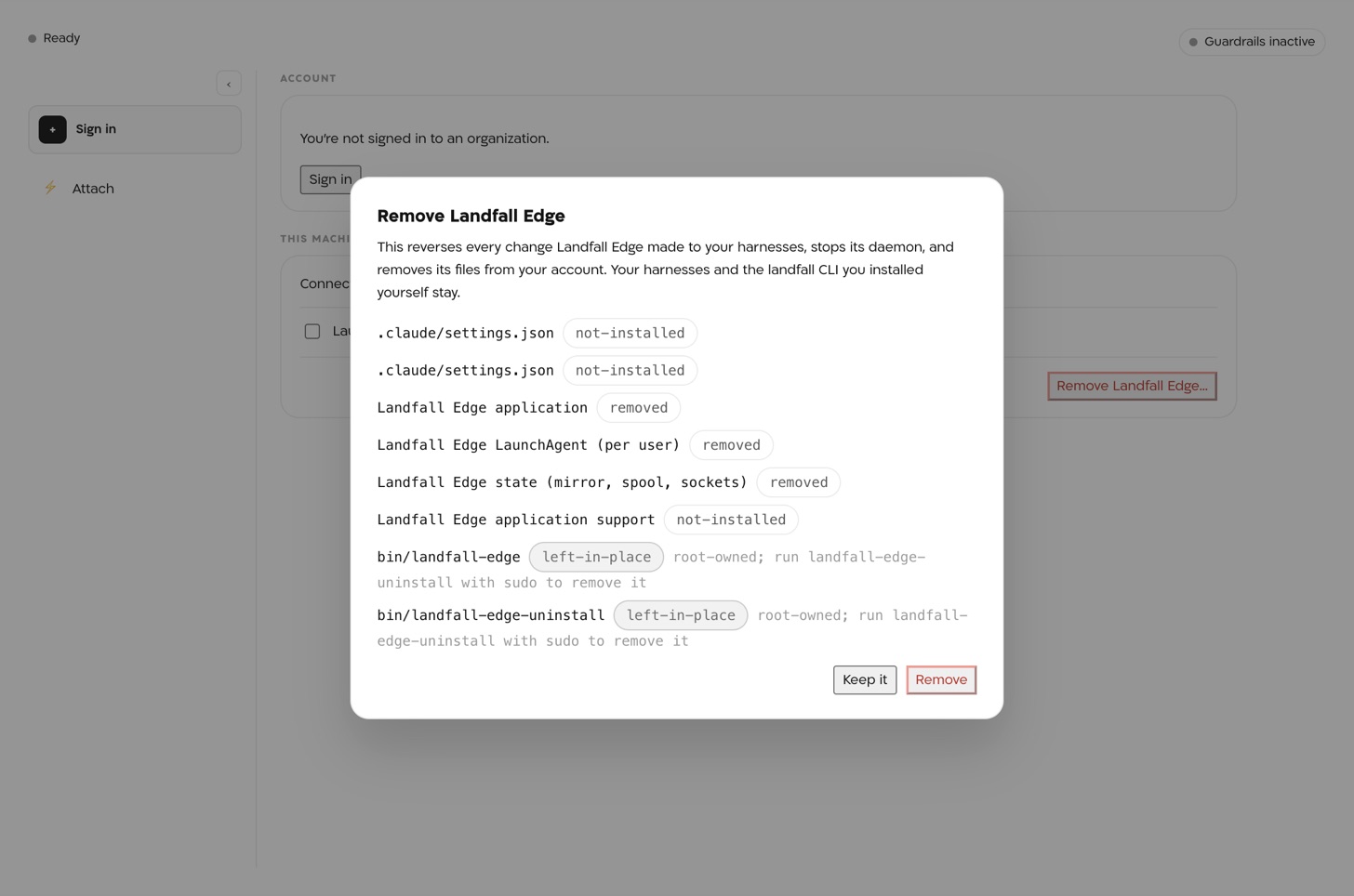
Then remove the two configuration profiles through your MDM. The package cannot remove them, because it did not install them.